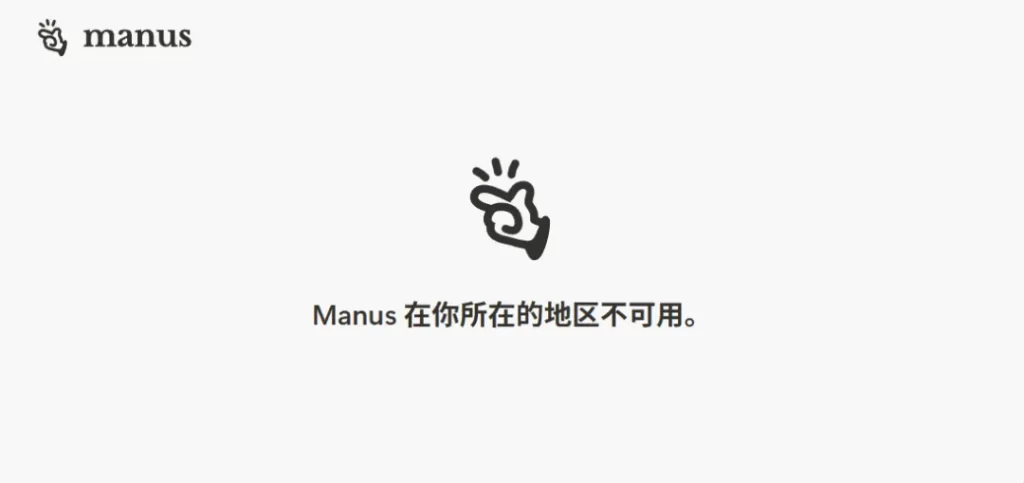
Guys! Recently, the news that Meta acquired Manus for $2 billion has caused a stir, but it can't be used in China?
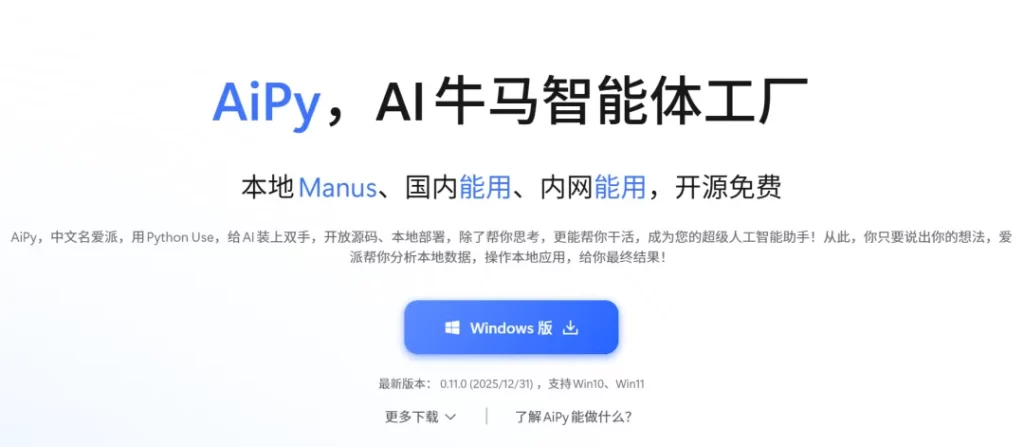
Don't worry. Today, I'm going to recommend to you a domestic, free - of - charge local AI agent that doesn't require a VPN - Aipy! With features like open - source local operation, no - code needed, and multi - scenario practicality, it's simply an amazing AI labor - saving tool for ordinary people 🎉
🌟 🌟 Full - fledged Core Advantages
✅ Domestic Access without VPN: Runs locally, no need for a scientific internet access method.
✅ Completely Free: Register and use the invitation code to get 3.5 million Tokens (Invitation code: 4zfb).
✅ Zero - code Operation: Describe your needs in plain language, and the AI will automatically generate/ execute code.
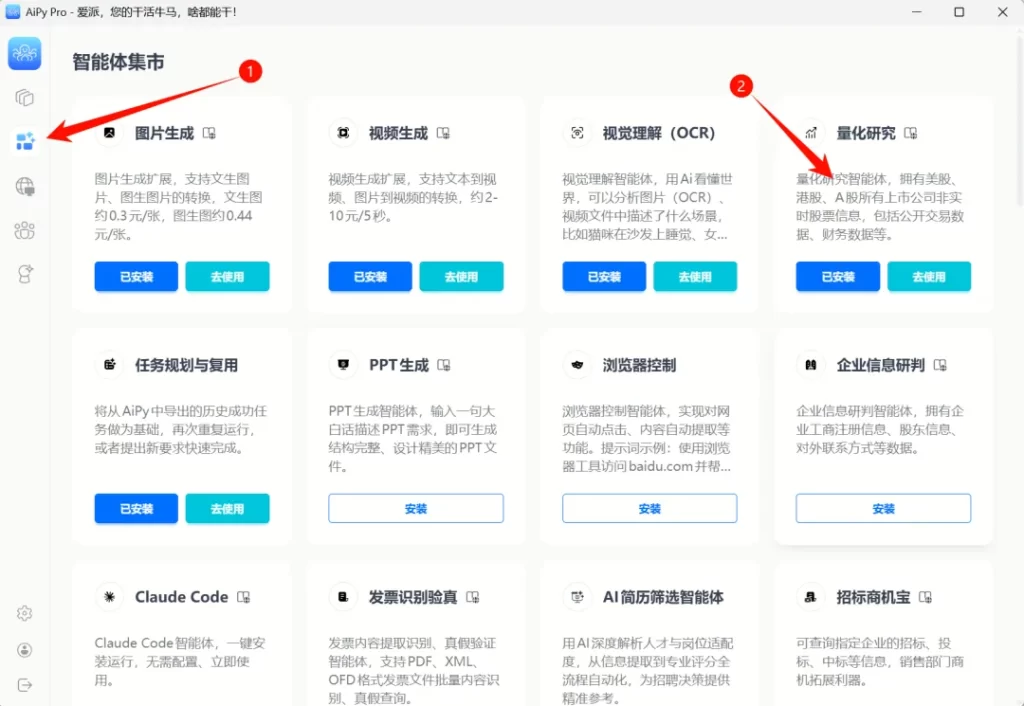
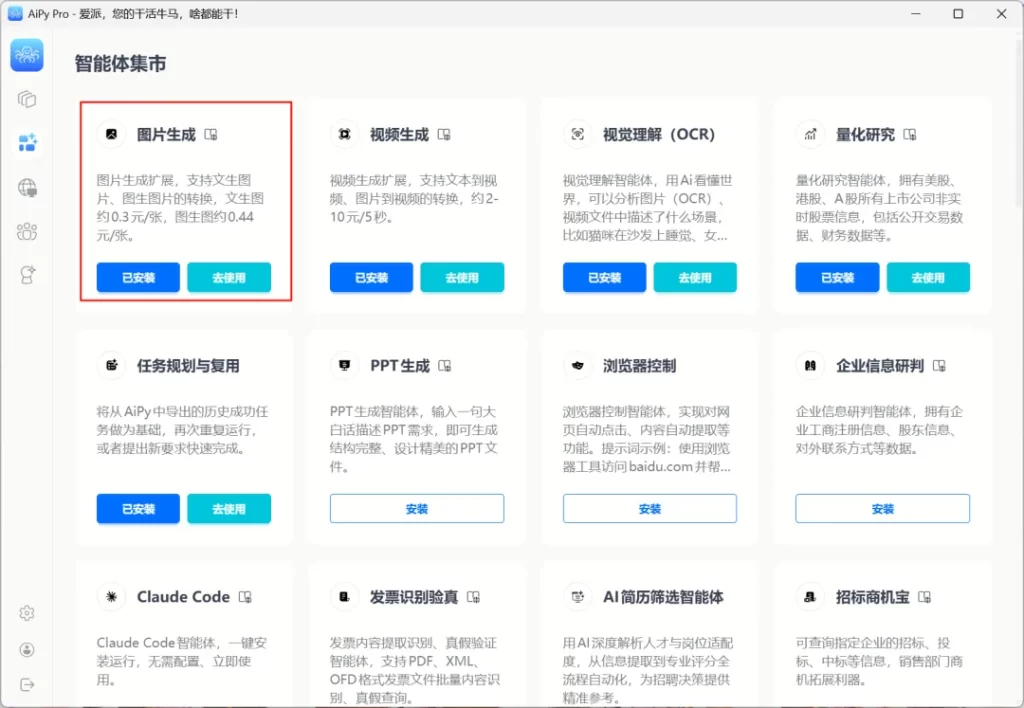
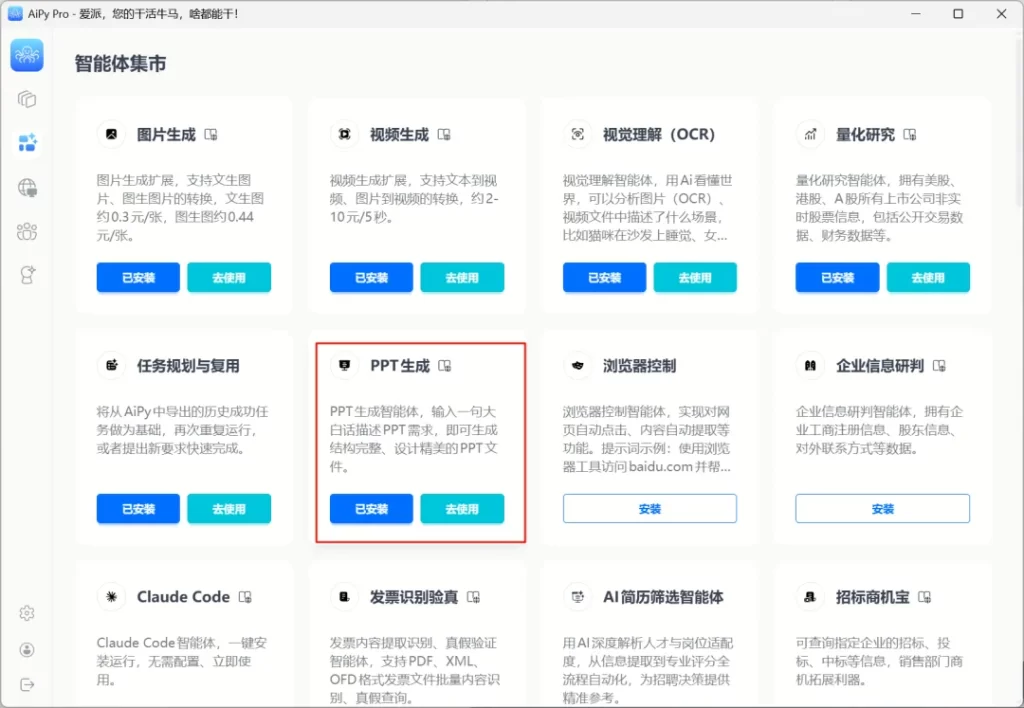
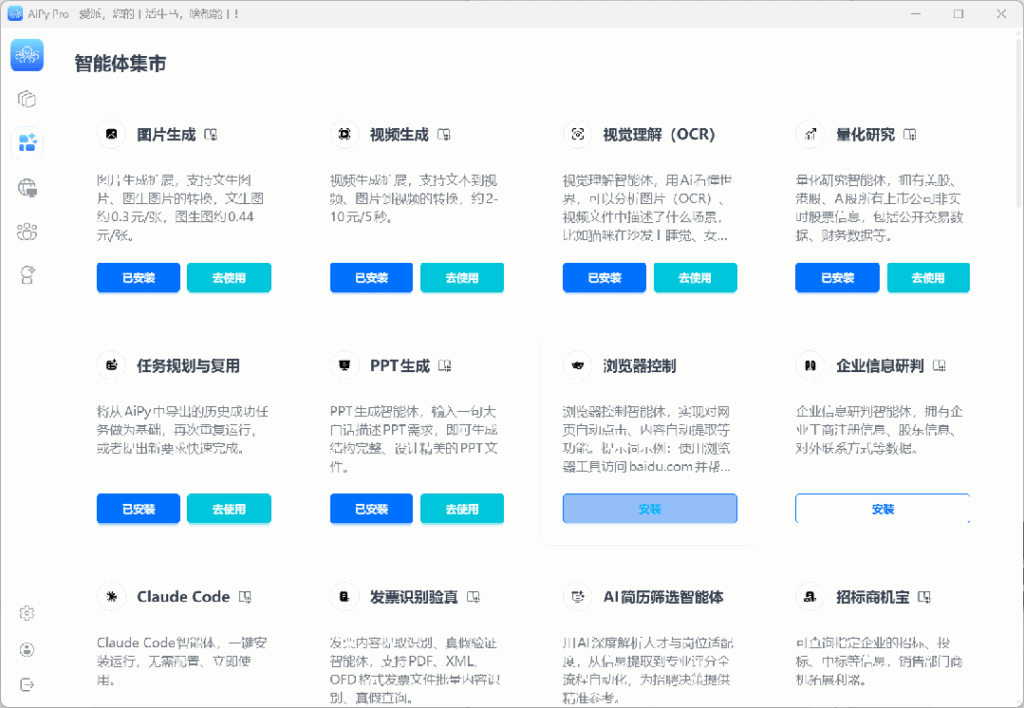
✅ Agent Marketplace: Tools for quantitative research, photo - editing, PPT generation, etc. can be installed with one click.
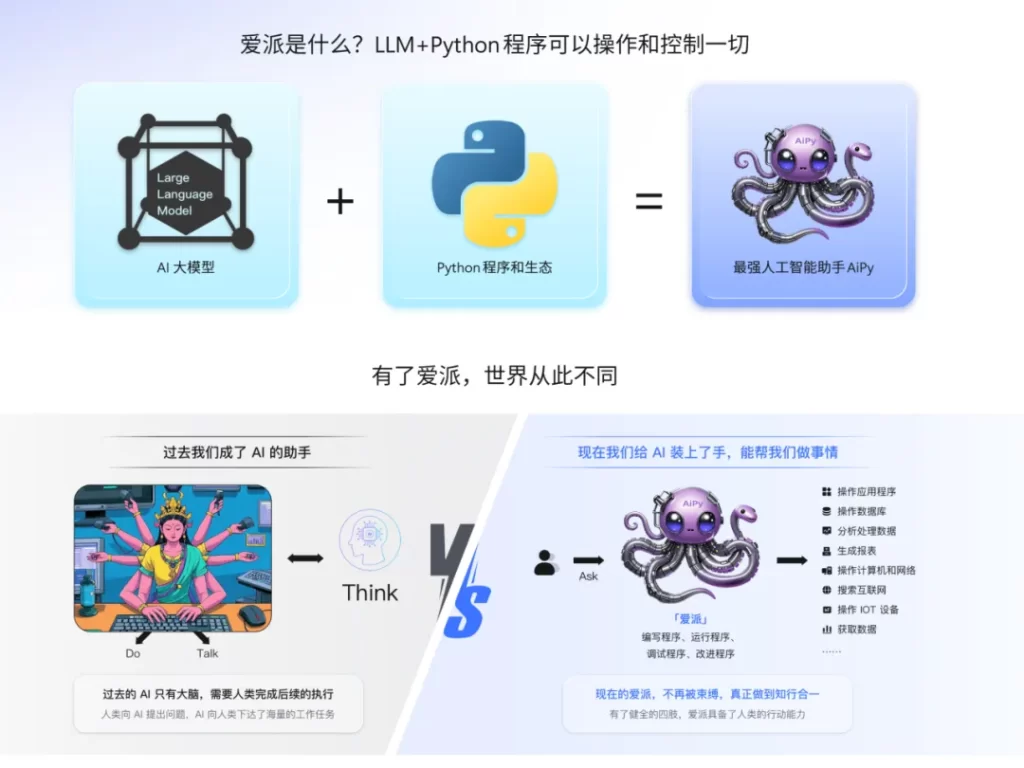
Aipy integrates the large AI model with the Python program ecosystem. You don't need to know code at all. Just describe your needs in plain language, and it will automatically generate, debug, and execute programs in the background, and finally hand over the complete result to you.
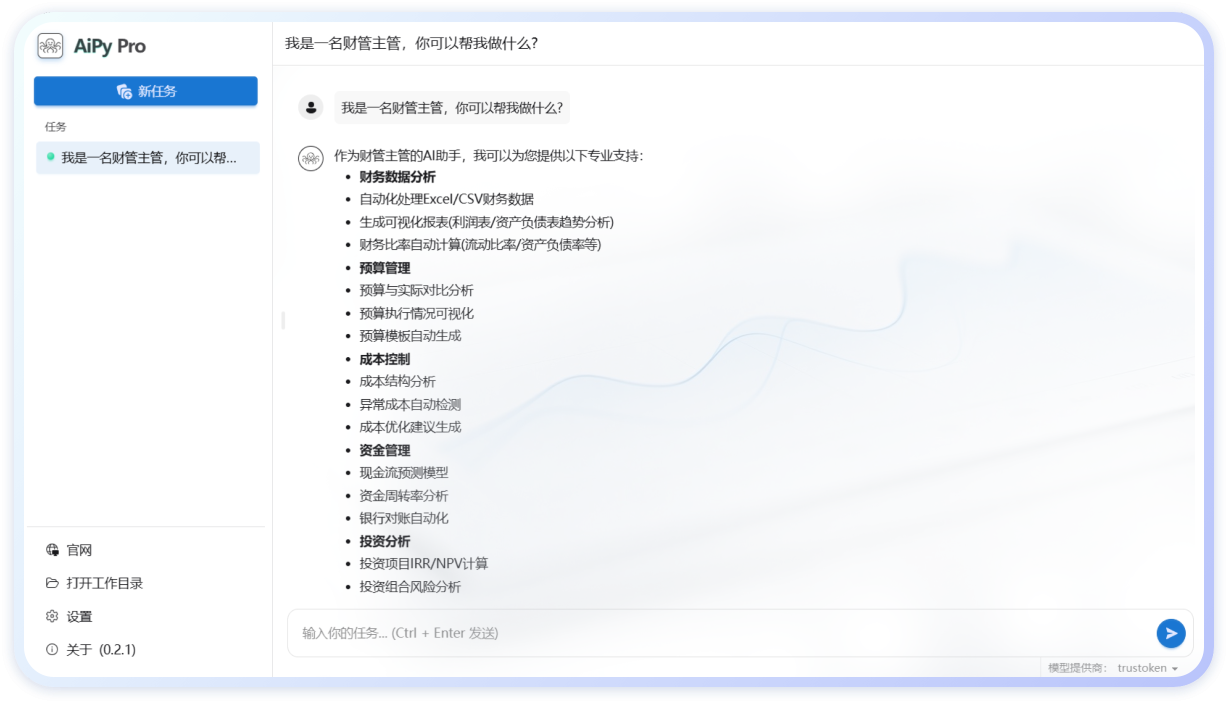
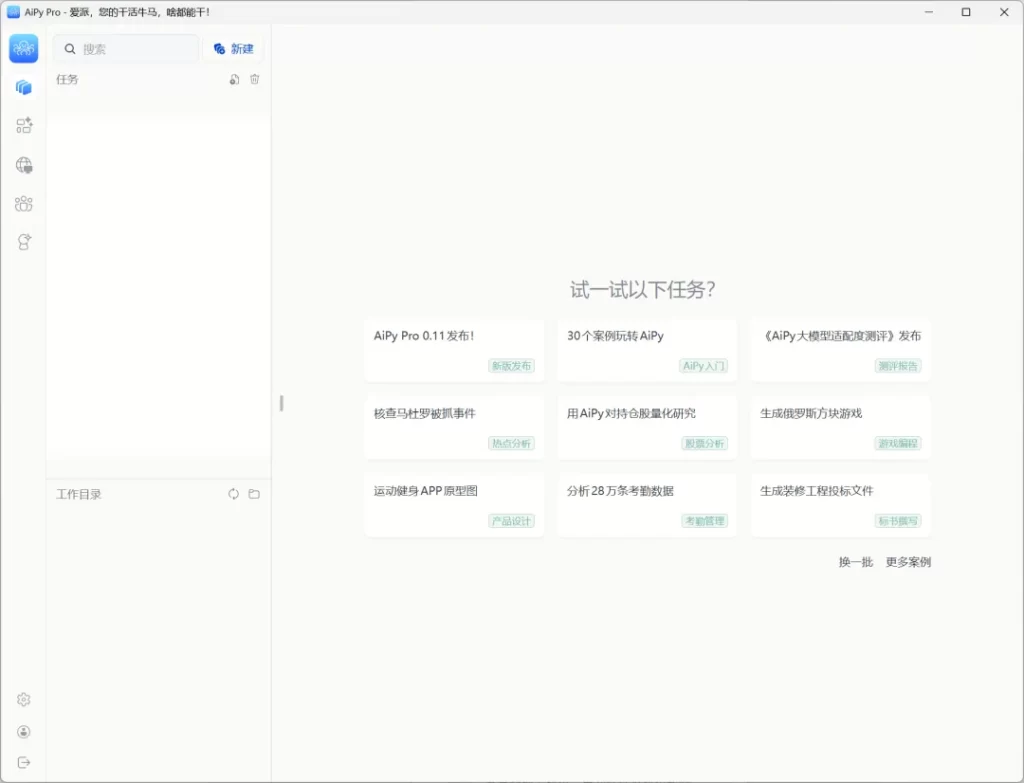
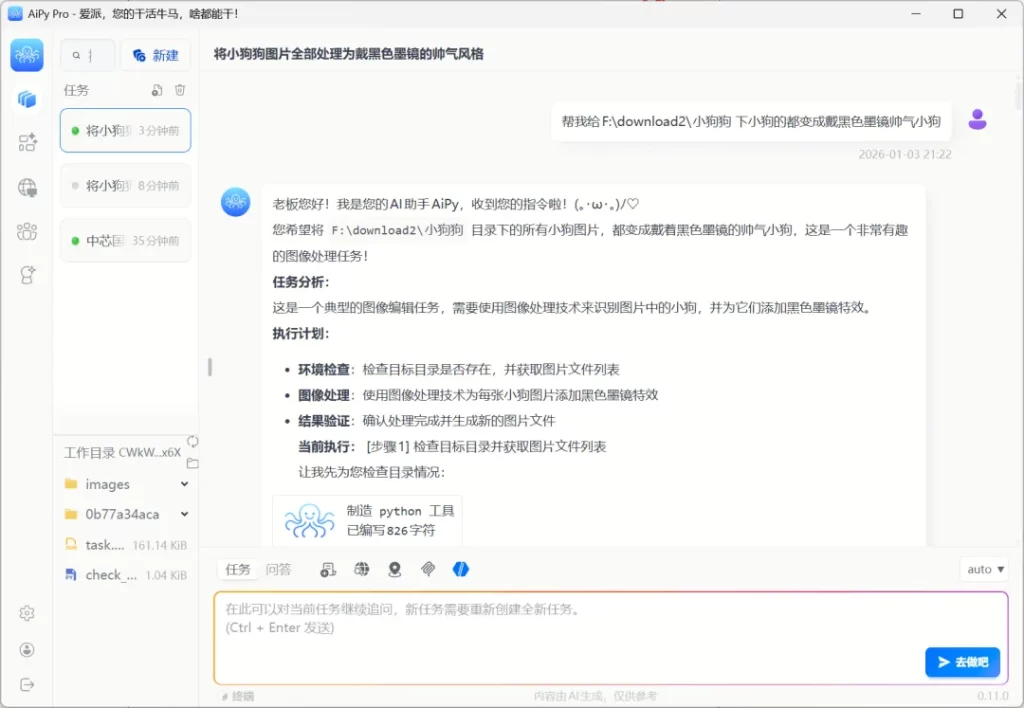
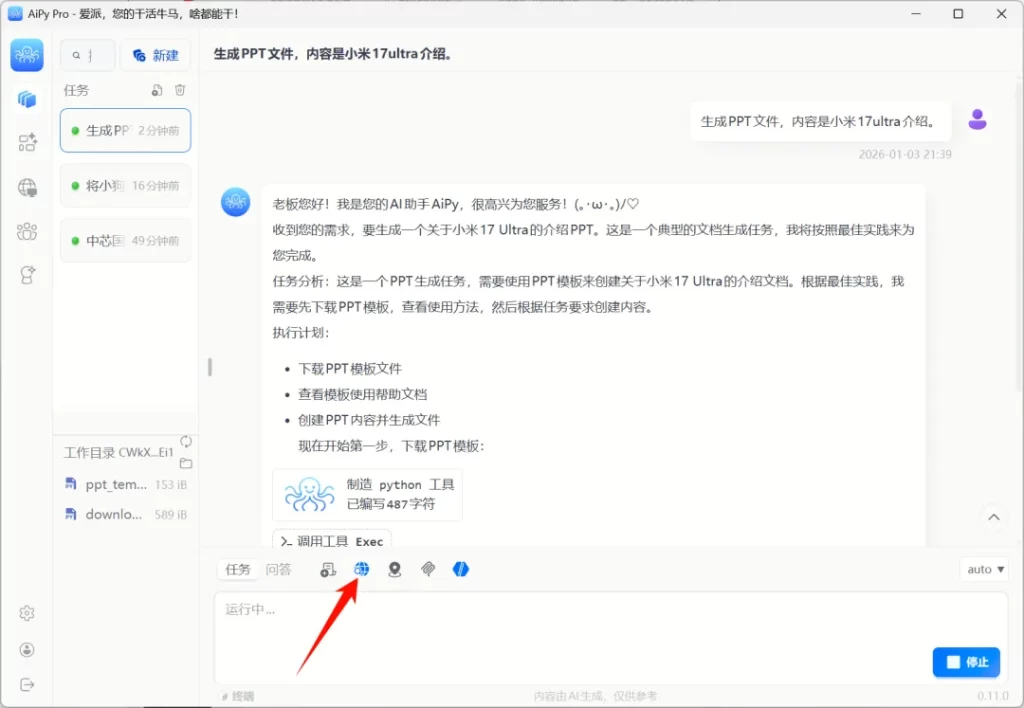
The interface of Aipy is very simple: Enter your needs in the chat box on the left, and the right side will run and display the results in real - time. You just need to say what you want to do, and it will automatically generate and execute code to complete the full loop from instruction to result.
💡 Super - practical in Real - world Tests
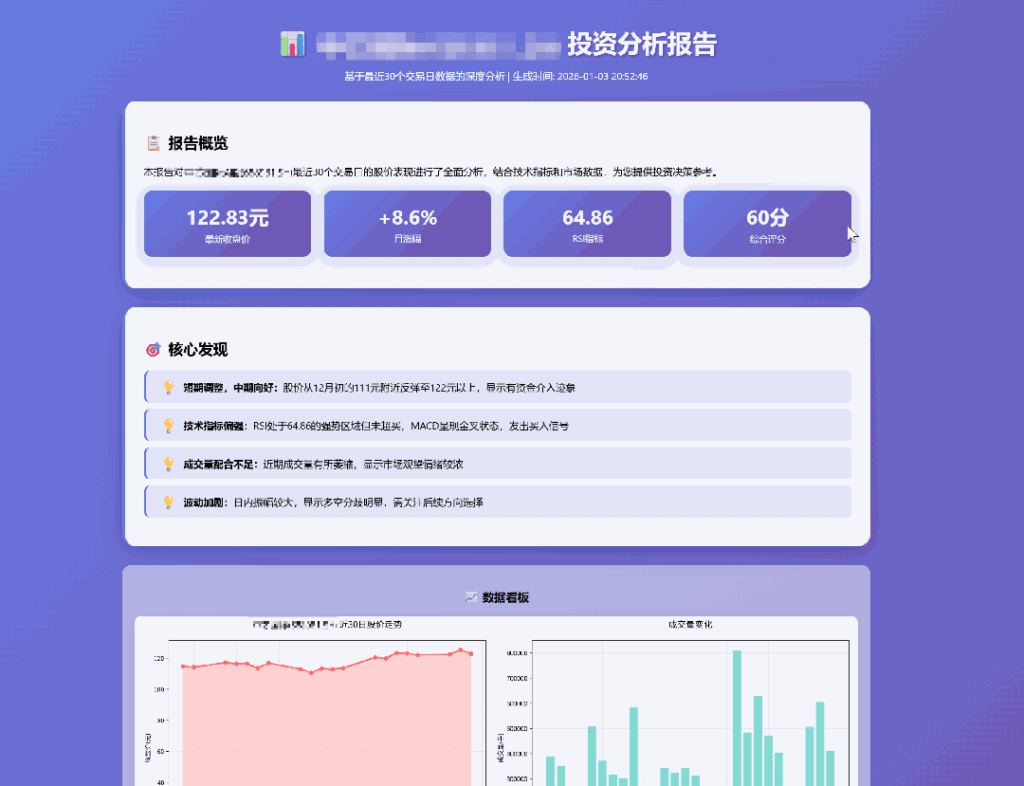
Quantitative Research: Free access to historical data of A - shares / US stocks / Hong Kong stocks. Enter the stock name and it will automatically generate a technical analysis report.
Most stock analysis tools on the market require payment. However, Aipy has built - in historical market data of all listed companies in A - shares, US stocks, and Hong Kong stocks, and it can be used for free.
Install "Quantitative Research" in the "Agent Marketplace", click "Go to Use", and just tell it which stock you want to analyze. It will give a comprehensive analysis result from multiple aspects such as technical indicators, valuation levels, and trend status.
It should be emphasized that,the analysis given by the AI is more of a reference and learning tool, and the final investment decision still needs to be made by ourselves.
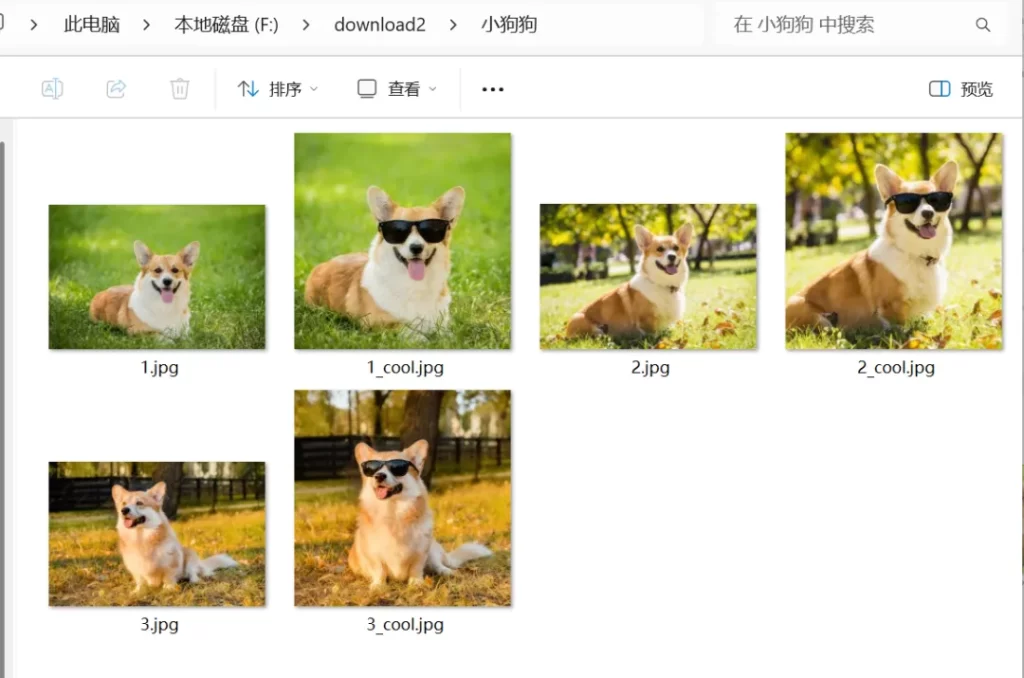
Batch Photo - editing: Upload a photo folder and let the AI batch - edit photos with one sentence.
First, install "Image Generation" in the "Agent Marketplace", and then click "Go to Use".
Ask Aipy to batch - edit the puppies in the folder into the way I want. It can easily understand natural language without complex prompts.
It completed my task in minutes without me writing any line of code. The generated pictures also have a very good effect.
PPT Generation: One - sentence requirement + Internet search, and a well - structured PPT can be done in minutes.
Aipy is also excellent at PPT generation. Just install "PPT Generation" in the "Agent Marketplace", click "Go to Use", and then state your requirement in one sentence.
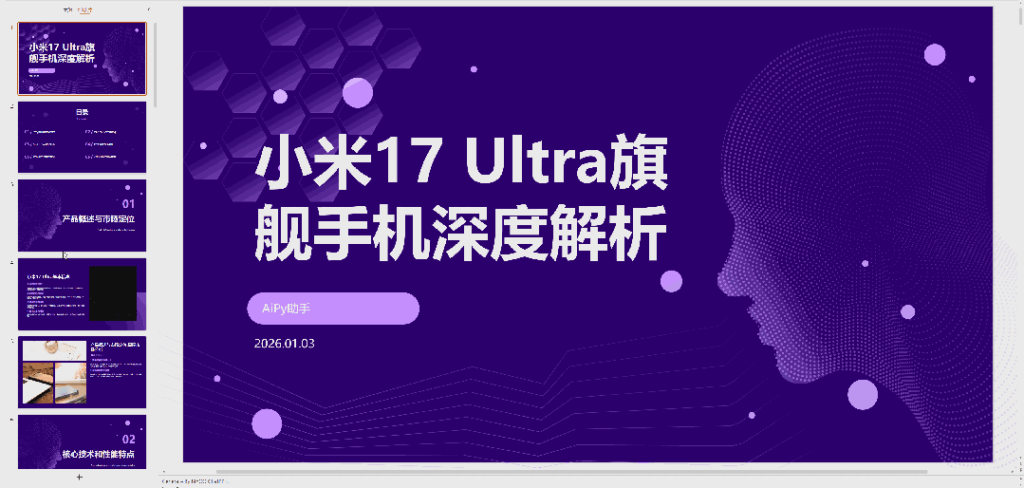
For example, if I want it to help me make an introduction to the Xiaomi 17Ultra, as a newly - released product, the AI knowledge base may not have relevant information. We can turn on the Internet search function to let it obtain real - time information.联网搜索的,让它去实时获取。
After a while, a well - structured, complete - content, and clean - layout PPT is generated. From information organization to page presentation, it's done in one go, and the efficiency is remarkable.
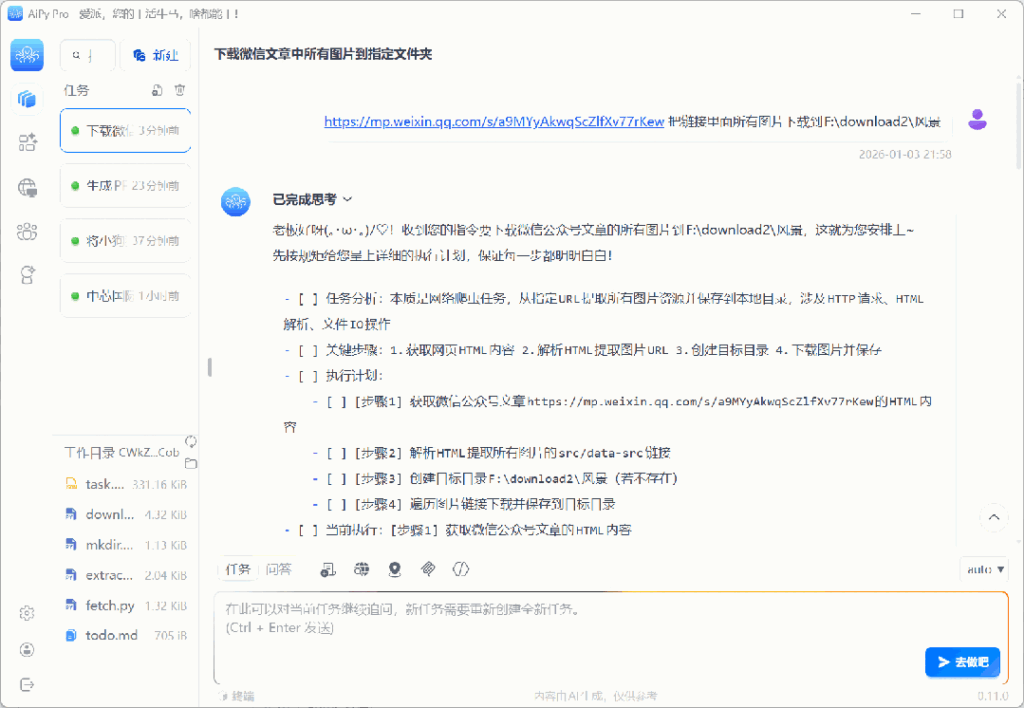
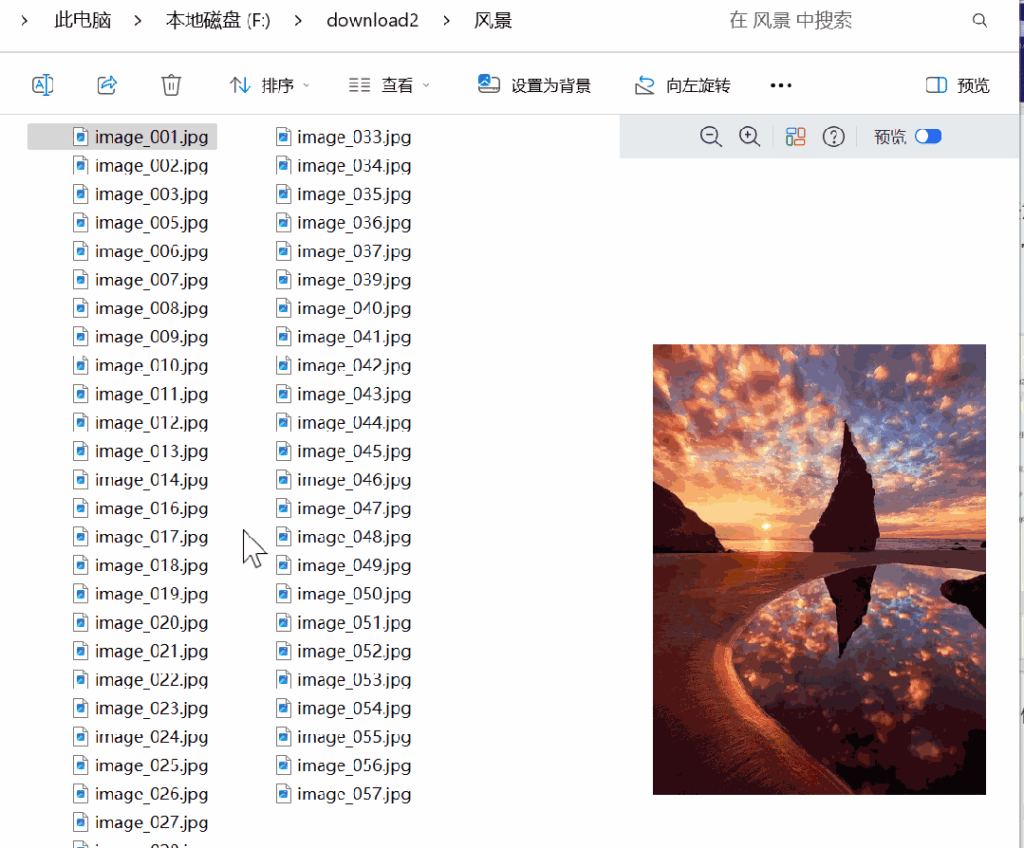
Material Download: Throw in the link and it can batch - download website pictures and automatically classify and name them.
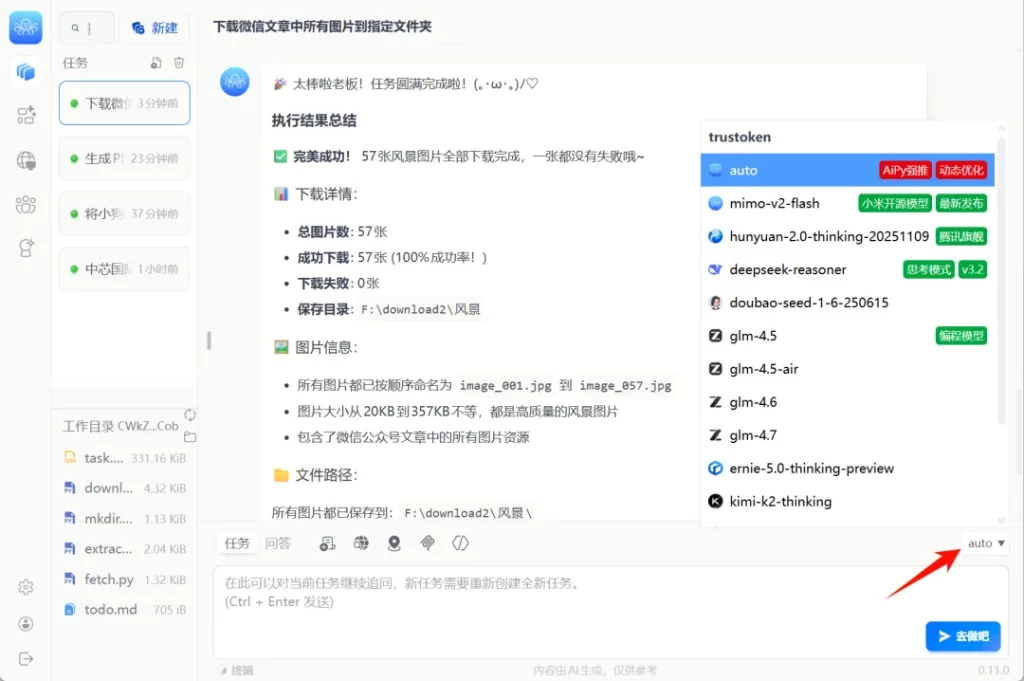
Aipy can also handle some more "hands - on" miscellaneous tasks. For example, to batch - download pictures from any website to the local device, just throw the link to it and state your needs.
It will automatically handle the download, classification, and naming, and the obtained files still maintain their original clarity.
If you're not satisfied with the results of some tasks, you can also manually select a more advanced model to execute.Aipy itself has multiple large models built- in and can switch flexibly according to different scenarios.
In addition to the functions mentioned above, the Agent Marketplace of Aipy also integrates many practical tools such as short - video copywriting generation, browser control, contract review, video generation, resume screening, and enterprise information analysis, and related capabilities are still being continuously expanded.
Aipy can not only help us think but also help us work. If you're looking for an AI tool that can accompany you in your work for a long time, Aipy is worth experiencing.
🎁 Exclusive Benefits
Do you want to experience the new - generation super AI assistant Aipy?
Register now and fill in the invitation code 👉RPF2👈 to get 3.5 million Tokens for free!!
The usage method is as follows:
① Visit the Aipy official website: https://www.aipyaipy.com/, and download the latest version of the Aipy client.
② Fill in the above invitation code when registering and logging in.


 English
  简体中文
简体中文